Client Portal Signup & Navigation Guide
Getting started with your client portal is easy. Follow these steps to sign up, access your information, and use key features.
Sign Up to Client Portal
Step 1: Open the sign-up link sent to your email
Only use the email address you provided to your clinician or provider. Wait for the practice to create your account and send you an invitation. Use the email invitation to sign up with the same email address provided by you.
Log In and Access the Dashboard
Step 1: Access portal with your email
After signing up using your email address, you’ll land on your portal dashboard.

Appointments
Step 1: View upcoming appointments
See all your upcoming appointments.
Step 2: View past appointments
Review your past appointment history.

Step 3: Reschedule or cancel an appointment
Request to reschedule or cancel by selecting the appropriate button on an upcoming appointment.

Step 4: Join a video appointment
Use the join video link for video appointments. You’ll move to the video tab to meet with your provider.
Forms
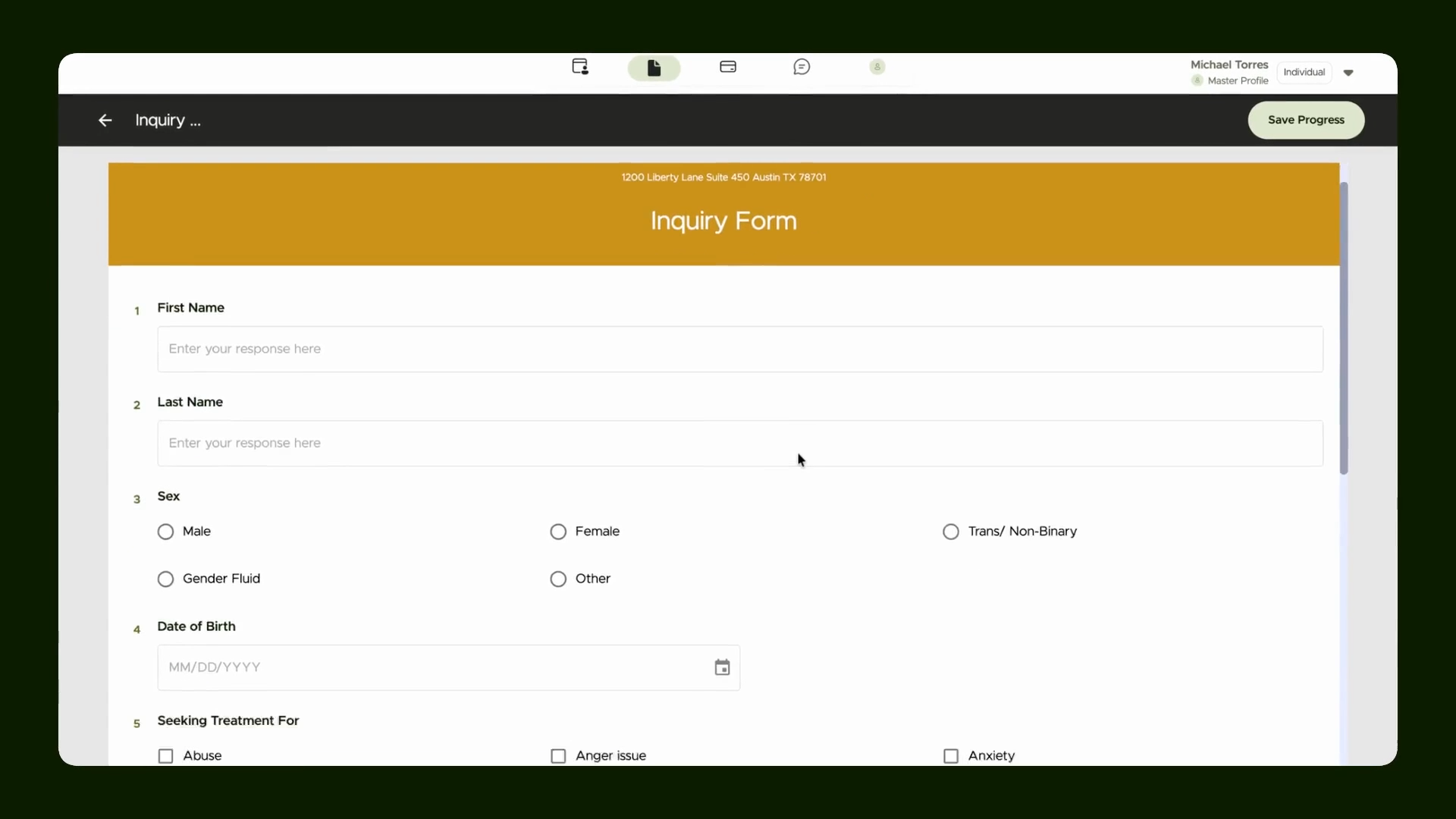
Step 1: Go to Forms
Find all pending and completed forms in the Forms section.

Step 2: Fill out a form
Open a pending form, enter your details, and save your progress. Submit the form only when all required details are complete.
Invoices and Payments
Step 1: View invoices
See invoices if payments are enabled.

Step 2: Add or upload a card
Go to the card section and upload your card in the provider's preferred method, then save it.

Step 3: Pay invoices
Return to invoices to pay after saving your card.
Chat with Provider
Step 1: Use chat to message your provider
Send and receive messages using the chat interface.

Profile Details
Step 1: Access your profile
Upload a profile picture or insurance details when needed.

Note: Only add or edit details after discussing with your provider.

My Uploads
Step 1: Upload files
Submit documents, reports, or files requested by your provider.

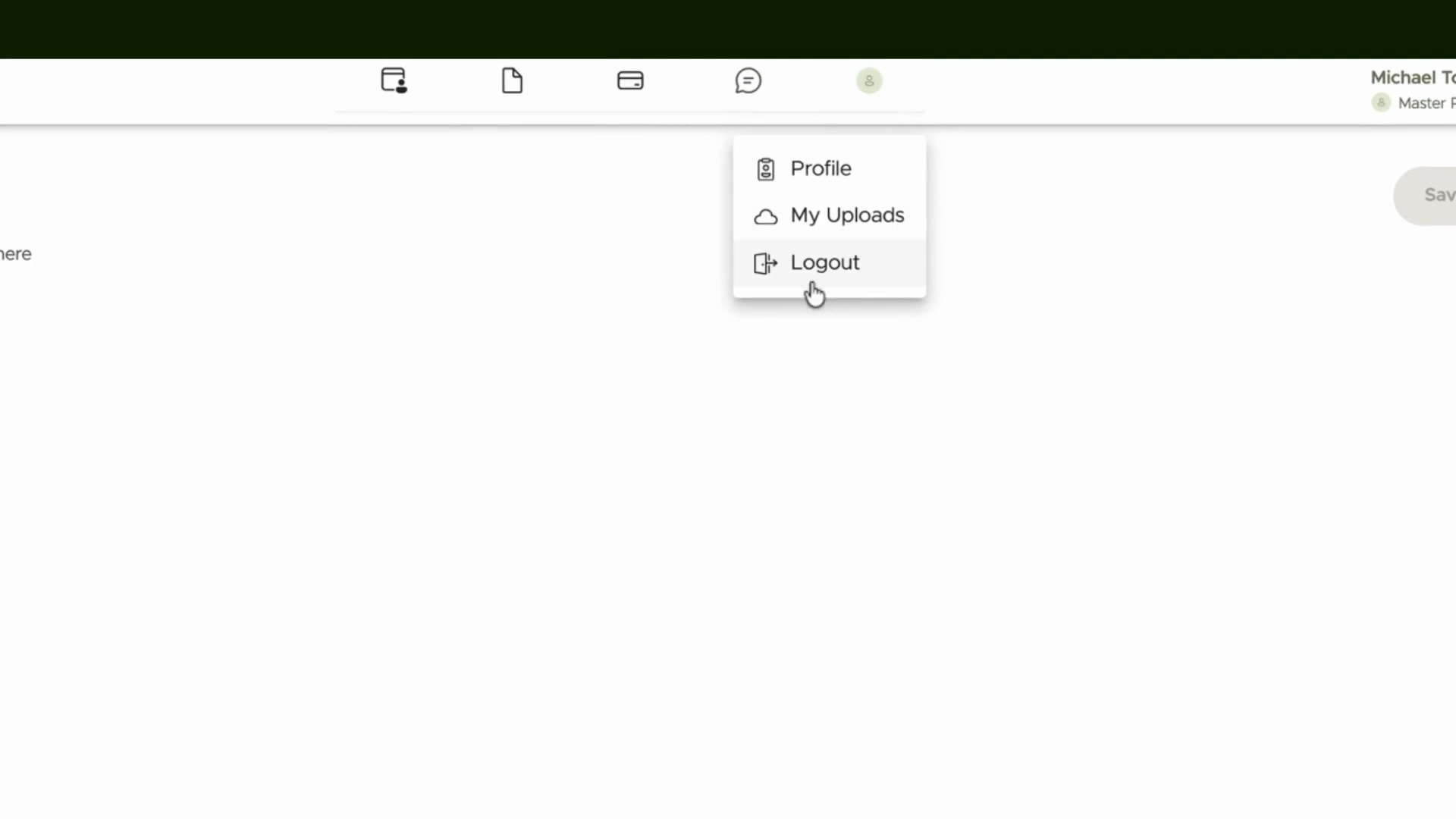
Logging Out
Step 1: Log out from your portal
This is how you access the client portal and access appointments and other details.